

Truck Control 11 Driving Adventure
Trusted instant play — no download required.
Reviews
Truck Control 11 Driving Adventure offers a satisfying blend of skill and strategy. The obstacle courses are thoughtfully designed, gradually increasing in complexity to keep players engaged. The controls are responsive, and the ability to select difficulty levels makes it accessible for all ages. Earning upgrades adds a rewarding layer of progression. A great choice for anyone seeking a safe, challenging driving game.
About this game
Game Introduction
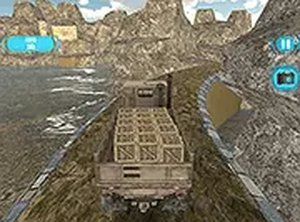
Truck Control 11 Driving Adventure continues a well-loved series of vehicle handling challenges. In this edition, players assume command of a large truck and must guide it through a variety of demanding courses. The primary goal is to reach the end of each track by carefully managing speed and maintaining balance. What sets this game apart is its progressive difficulty system, which starts with simple routes and gradually introduces more complex obstacles. This structure allows newcomers to learn the basics while providing seasoned players with increasingly difficult tests. The game emphasizes precision over raw speed, rewarding those who can navigate narrow passages and sharp bends without losing control. It is designed as a wholesome, family-friendly activity that encourages focus and patience. The visual style is bright and clear, making it easy to see upcoming challenges. With no mature themes or violent content, it is suitable for players of all ages. The game also includes elements that help develop spatial awareness and problem-solving skills, as players must assess each course and decide the best approach. Overall, Truck Control 11 offers a satisfying experience for anyone who enjoys vehicle-based puzzles and skill challenges.
How to Play
Players typically control the truck using simple input methods such as keyboard keys or on-screen buttons. The main actions involve accelerating, braking, and steering to keep the vehicle stable. Each course presents a series of obstacles, such as narrow gaps, steep inclines, and tight corners. The key is to find the right balance between moving forward and maintaining control. Before starting a level, players can select a difficulty setting that matches their experience. As they progress, they will encounter new types of terrain and more complex layouts. Completing a course successfully often requires multiple attempts to learn the optimal path. The game provides feedback on performance, such as time taken and whether any cargo was damaged. This information helps players identify areas for improvement. The controls are responsive, allowing for precise adjustments. Overall, the gameplay loop is straightforward: choose a level, drive through the obstacles, and try to improve your results with each run.
Game Features
Truck Control 11 includes a range of features designed to keep players engaged. The obstacle courses vary in complexity, offering fresh challenges as players advance. Multiple difficulty levels are available, allowing everyone from beginners to experienced drivers to find a suitable pace. The game may include upgrade options, such as new paint colors or performance improvements for the truck. These upgrades can be earned by completing levels quickly or without errors. The core gameplay focuses on skill development, including hand-eye coordination and strategic planning. The family-friendly nature of the game means there is no violent or inappropriate content. The interface is intuitive, making it easy to start playing without a long tutorial. The game also provides a sense of progression as players unlock new courses and customization items. These features combine to create a rewarding experience that encourages repeated play.
Tips for Success
To perform well in Truck Control 11, practice is essential. Spend time on earlier levels to get comfortable with the controls and the truck's handling. Focus on maintaining a steady speed, especially when approaching tight turns or narrow passages. Look ahead to anticipate obstacles and plan your route in advance. If you make a mistake, try to learn from it and adjust your approach. Patience is key—rushing often leads to loss of control. With consistent effort, you will gradually improve your timing and coordination, allowing you to tackle harder courses with confidence.








Player comments
Sign in to leave a review
You must be logged in before posting a rating or comment.
No account? Create one
No comments yet. Be the first to comment!