
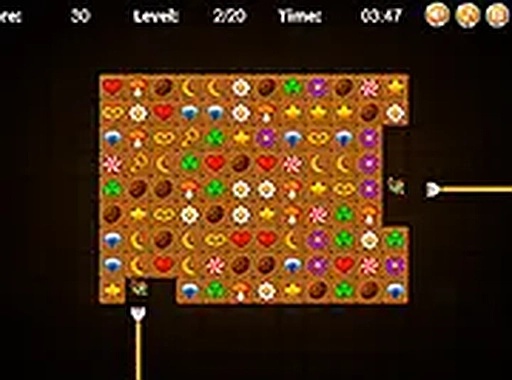
PairPulse Classic Tiles
Trusted instant play — no download required.
Reviews
PairPulse Classic Tiles succeeds by adding one simple rule that transforms the genre. The side-access mechanic forces you to think ahead, making each match feel deliberate rather than random. The timer adds just enough pressure to keep things interesting without causing frustration. The game runs flawlessly across devices, and the no-download approach means you can jump in instantly. It is an excellent choice for puzzle fans looking for a fresh yet accessible experience.
About this game
Strategic Tile Selection
PairPulse Classic Tiles introduces a rule that changes how you approach each puzzle. You can only select tiles that are free on at least one side. This means tiles blocked on both left and right cannot be chosen until you clear their neighbors. The mechanic forces you to plan several moves ahead, scanning the board for which pairs are accessible. It turns a simple matching task into a thoughtful challenge where each decision matters.
Timed Puzzle Rounds
Each round includes a countdown timer that adds a layer of pressure. You must match tiles quickly to finish before time runs out. The timer encourages faster thinking and rewards players who can spot patterns efficiently. As you progress, the puzzles may become more complex, requiring sharper observation and quicker reactions. The time limit keeps each session focused and engaging.
Accessible Across Devices
Built as an HTML5 application, PairPulse Classic Tiles works in any modern web browser. You can play on a desktop computer, a tablet, or a smartphone without installing anything. The interface adapts to different screen sizes, so touch and click controls feel natural. A full-screen mode is available for those who want a more immersive view. This flexibility makes it easy to enjoy a short game during a break or a longer session at home.
Free and Instant Play
There are no costs, downloads, or registrations required to start playing. Simply open the game in your browser and begin matching tiles. This low-barrier entry makes it ideal for casual players who want a quick puzzle fix without commitment. The game saves no personal data and runs entirely client-side, ensuring a private and straightforward experience.









Player comments
Sign in to leave a review
You must be logged in before posting a rating or comment.
No account? Create one
No comments yet. Be the first to comment!